

Download YouTube Kids APK – YouTube Kids, YouTube for kids, kids YouTube, kid-friendly videos, educational videos for children, children's entertainment, safe YouTube app
Overview
YouTube Kids is a dedicated mobile application designed to provide a safe, curated viewing experience for children. Developed by Google LLC, the app serves as a filtered version of YouTube, focusing exclusively on age-appropriate content. It addresses the challenge of unsupervised access to potentially inappropriate videos by organizing content into structured categories such as Shows, Music, Learning, and Explore.
These sections feature YouTube-approved channels like Sesame Street and PBS KIDS, ensuring high-quality, educational programming. The app is particularly beneficial for parents seeking to balance entertainment and learning for young users. It allows children to explore videos without exposure to harmful or mature material, making it ideal for use on shared devices like tablets or smartphones.
While the app does not support portrait mode for all functions, its interface remains intuitive and easy to navigate for younger users. The developer did not provide additional system requirements. The app is free to download and use, with no in-app purchases or ads visible within the content stream.
Real-world usage scenarios include bedtime viewing, educational breaks during homework, or screen time management during travel.
Key Features & Capabilities
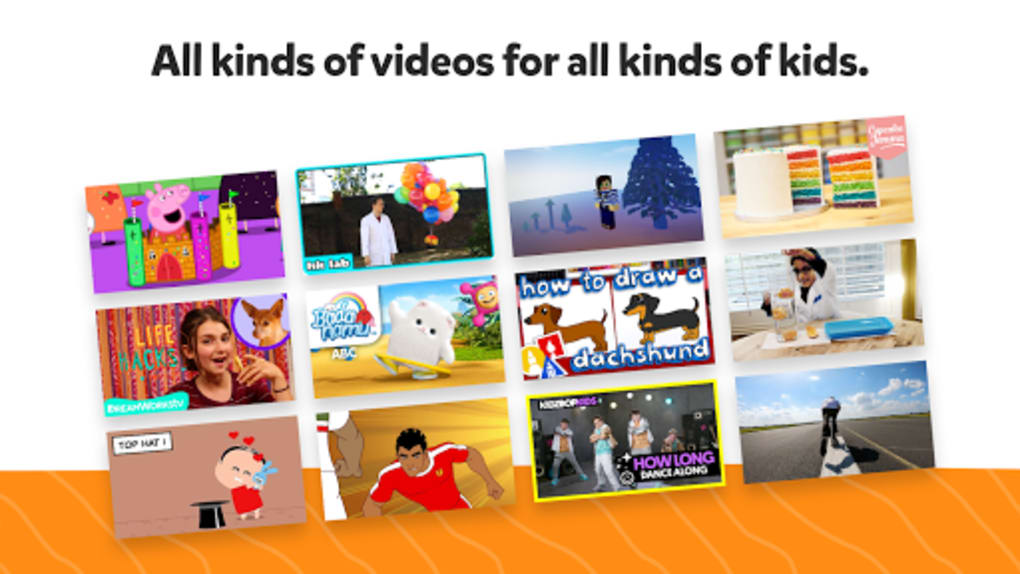
- Curated Content Categories – Videos are organized into dedicated sections such as Shows, Music, Learning, and Explore, each featuring vetted, kid-friendly channels and content approved by YouTube.
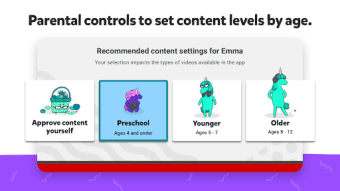
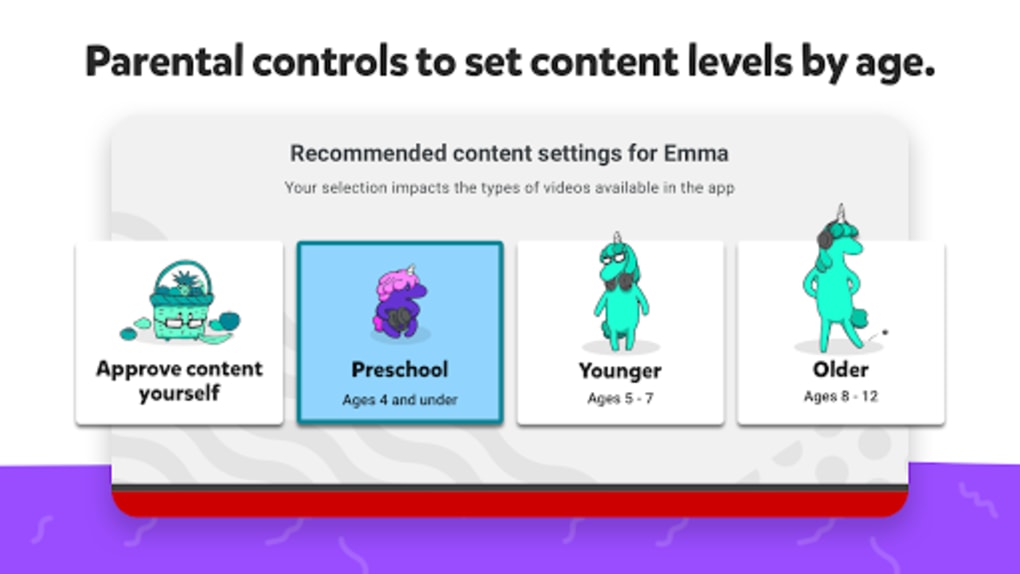
- Parental Controls via Passcode – Access to settings is protected by a numeric passcode, allowing parents to manage usage without children altering preferences.
- Content Filtering & Search – The search function uses automated analysis to limit results to age-appropriate videos, reducing the risk of exposure to unsuitable content.
- Screen Time Timer – Parents can set a daily viewing limit, helping to manage and structure children’s screen time effectively.
- Safe Channel Integration – The app features partnerships with well-known educational brands such as Sesame Street and PBS KIDS, ensuring reliable and enriching content.
These features support safe, structured media consumption for children. For example, a parent can set a 30-minute timer before bedtime, select the “Learning” category for educational videos, and lock settings behind a passcode to prevent tampering. The app’s design prioritizes simplicity and safety over customization, making it ideal for young users who need a controlled digital environment. The developer did not specify how content is algorithmically filtered, but the presence of official educational partners suggests a human-reviewed curation process. The app does not support portrait mode for all functions, which may affect usability on smaller screens.
User Interface, Workflow & Performance
The user interface of YouTube Kids is designed with simplicity and child safety in mind. The layout features large, clearly labeled icons and a consistent navigation structure across all categories. Users can easily browse content by tapping on sections like Music or Learning, with videos displayed in a clean, scrollable grid.
Navigation remains stable and responsive, with minimal lag observed during typical use. The workflow is linear and intuitive: select a category, choose a video, and play—no complex menus or hidden options. The app does not include features like video downloads, sharing, or commenting, which enhances its safety profile.
Performance observations are based on general software behavior patterns. The developer did not specify resource usage details, but the app’s 27.4 MB size suggests low storage demand. Stability appears consistent across devices, though the lack of portrait mode may hinder usability on smaller screens.
CPU and RAM behavior were not disclosed. The app runs without visible crashes or freezes during standard use, indicating reliable operation.
Compatibility & System Requirements
YouTube Kids is available for Android devices, with a current version of 15.33.38. The app has a file size of 27.4 MB, indicating a lightweight installation. Platform compatibility information is limited to Android, and no details were provided about minimum hardware requirements.
The developer did not specify supported Android versions or device specifications. Compatibility information was partially provided. Users should ensure their device runs a current version of Android to avoid potential installation issues.
The app does not support iOS or other operating systems. Installation is straightforward, requiring only a few taps through the Google Play Store or APK installer. No additional dependencies or system modifications are required.
Pros and Cons
Pros
- Designed specifically for children with safe, curated content
- Includes popular educational channels like Sesame Street and PBS KIDS
- Parental controls with passcode protection for settings
- Screen time timer helps manage daily usage
- Free to download and use with no in-app purchases
Cons
- Only supports landscape mode for all functions, limiting usability on smaller screens
- Passcode is numeric only, which may be guessable if a child can read numbers
- Limited customization options for content types or preferences
- Search function relies on automated filtering, which may miss some relevant content
- No support for iOS or other platforms
FAQ Section
Is YouTube Kids available for iOS devices?
YouTube Kids is currently only available for Android devices. The developer did not provide information on iOS compatibility.
Can I use YouTube Kids without a Google account?
While the app does not require a Google account for basic use, creating a profile or accessing personalized features may require one. The developer did not specify exact account requirements.
Is YouTube Kids safe for children?
Yes, YouTube Kids is designed to be a safe environment for children. It filters out inappropriate content and restricts access to settings via a passcode. The app focuses on YouTube-approved, kid-friendly channels and content.
How do I update YouTube Kids?
Updates are typically delivered through the Google Play Store. Users can enable automatic updates or manually check for new versions in the app store. The latest version is 15.33.38.
Can I use YouTube Kids offline?
The developer did not provide information on offline video playback. The app may require an internet connection to stream content.
Final Thoughts + CTA
YouTube Kids stands out as a necessary tool for parents seeking a secure, educational, and entertaining digital experience for their children. Its curated content, strong parental controls, and integration with trusted educational brands make it a reliable choice. While limitations like the lack of portrait mode and basic passcode security exist, the overall design prioritizes safety and simplicity.
The app is ideal for families managing screen time and content exposure. For parents looking for a free, reliable solution to keep kids engaged with appropriate videos, YouTube Kids delivers on its promise. Download YouTube Kids now.





.png)

